
Top 10 AI Design Tools for Web Designers in 2026
Introduction
In 2026, web design looks very different from just a few years ago. Artificial intelligence has become an essential part of the creative process, helping designers build websites faster and more efficiently than ever before. From generating layouts and writing website copy to suggesting colour palettes and creating animations, AI now works as a reliable design assistant. For beginners and experienced professionals alike, learning how to use AI design tools for web designers is no longer optional. These tools reduce repetitive tasks, improve creativity, and allow designers to focus more on strategy and user experience. Whether you are building landing pages, eCommerce stores, or portfolio sites, AI can help you deliver high-quality results in less time. In this guide, we will explore the top AI design tools that are transforming the way modern web designers work and helping freelancers and agencies stay competitive in a rapidly evolving industry.

1. Figma AI The Industry Standard Gets Smarter
Among the top AI design tools available in 2026, Figma AI stands out as one of the most practical and powerful AI design tools for web designers. Already trusted by professionals worldwide for UI and UX design, Figma has integrated artificial intelligence directly into its workflow to help designers create faster and more efficiently.
With Figma AI, you can generate UI components from simple text prompts, receive layout suggestions, rename layers automatically, and build complete screen flows in minutes. Instead of starting with a blank canvas, web designers can describe what they want and let the AI produce a solid first draft. This saves time and allows designers to focus on improving usability, branding, and user experience.
For beginners, Figma AI is especially valuable because it reduces repetitive tasks and speeds up the learning process. It also teaches freshers how to think critically about AI-generated designs and refine them using design principles.
Whether you are creating wireframes, landing pages, or responsive interfaces, Figma AI remains one of the top AI design tools and an essential part of the modern toolkit of AI design tools for web designers.
Best for: UI design, wireframing, component building, and team collaboration.
2. Framer AI Building Stunning Websites Without Code
Framer has become one of the most exciting tools in the web design industry, and its AI features make it especially powerful for freshers. Framer AI allows you to generate entire website layouts from a text description, create smooth animations automatically, and publish a live, responsive website all without writing a single line of code.
If a client asks you for a modern marketing website with great animations, Framer is where you should be working in 2026. The output quality is genuinely impressive and the learning curve is much gentler than traditional development.
Best for: Marketing websites, portfolio sites, startup landing pages, animated interfaces.
Adobe Firefly is Adobe’s generative AI tool, and it integrates directly into Photoshop, Illustrator, and Adobe Express. For web designers, Firefly is most useful for generating custom background images, creating textures, expanding photos with generative fill, and producing visual assets that fit your exact design needs without relying on stock photography.
In 2026, clients expect websites to feel unique and visually distinct. Adobe Firefly helps you create custom visuals quickly, which means your designs stand out from competitors using the same stock images.
Best for: Custom visuals, image editing, background generation, brand asset creation.
4. Uizard Rapid Prototyping with AI
Uizard is one of the top AI design tools for beginners who want to turn ideas into interactive prototypes quickly. Designed to simplify the design process, it is among the most accessible AI design tools for web designers, especially for freshers who may not yet be comfortable with advanced software.
One of Uizard’s standout features is its ability to transform hand-drawn wireframes into polished digital mockups. You can sketch a layout on paper, upload a photo, and Uizard will automatically convert it into an editable website or app prototype. It can also generate complete designs from simple text prompts, helping you present concepts to clients in minutes.
For new web designers, Uizard removes much of the technical complexity involved in wireframing and prototyping. This allows you to focus on structure, user flow, and creative ideas rather than spending hours building layouts manually.
Because of its speed and ease of use, Uizard deserves a place among the top AI design tools in 2026. It is a practical choice for anyone exploring AI design tools for web designers and looking to impress clients with professional prototypes.
Best for: Wireframing, rapid prototyping, client presentations, and early-stage concept design..
5. Khroma AI-Powered Colour Palette Tool
Khroma is a smart colour assistant that helps designers create better palettes in less time. As one of the top AI design tools in 2026, it is especially useful for anyone who finds colour selection challenging. By learning the shades and combinations you like, Khroma generates custom palettes that match your personal design style.
For beginners, this is one of the most helpful AI design tools for web designers because it removes the uncertainty from choosing colours. Instead of testing dozens of combinations manually, you can explore AI-generated suggestions that already work well together. This makes it easier to build websites that feel balanced, professional, and visually consistent.
Khroma also lets you preview palettes with typography, gradients, and real design examples, helping you see how colours will perform in an actual project. Whether you are designing a portfolio, landing page, or business website, the tool helps you make faster and more confident decisions.
Because colour plays a major role in branding and user experience, Khroma has earned its place among the top AI design tools and is a valuable resource in the growing world of AI design tools for web designers.
Best for: Colour palette generation, brand identity, and visual consistency across pages.
6. Relume AI Website Sitemap and Wireframe Builder
Relume has become one of the top AI design tools for web designers who want to speed up the planning stage of a project. Instead of manually creating site structures and low-fidelity layouts, you can enter a short description of a client’s business, target audience, and goals. Relume then generates a complete sitemap and a set of wireframes that outline the pages and content sections the website needs.
For beginners, this is a huge advantage. Planning a website is often one of the most time-consuming parts of the design process, especially when you are still learning how to organize content effectively. Relume gives you a strong starting point, allowing you to focus on refining the user experience and visual design rather than building everything from scratch.
Another major benefit is its seamless integration with Figma and Webflow, making it easy to move from AI-generated wireframes to polished designs and fully functional websites.
Among the top AI design tools in 2026, Relume stands out as one of the most practical AI design tools for web designers handling client projects efficiently.
Best for: Website planning, sitemaps, wireframes, and Figma and Webflow workflows.
7. ChatGPT & Claude Your AI Writing Partners
Great web design is not only about visuals. Every website also needs clear, persuasive copy that explains what a business does and encourages visitors to take action. That is why AI writing assistants like ChatGPT and Claude have become some of the top AI design tools for modern designers.
These tools can help you generate hero headlines, service descriptions, FAQ sections, meta descriptions, and SEO-friendly content in minutes. For beginners, they are especially useful because they make it possible to deliver complete websites even when a professional copywriter is not part of the project.
Among the most versatile AI design tools for web designers, ChatGPT and Claude improve both content creation and client communication. You can use them to write proposal drafts, summarize meeting notes, and suggest calls to action that match your design goals.
The key is to treat AI-generated content as a starting point. Review the copy, adjust the tone, and ensure it reflects the client’s brand voice.
As two of the top AI design tools in 2026, ChatGPT and Claude help web designers offer more value and create stronger, more conversion-focused websites.
Best for: Website copy, headlines, SEO content, FAQs, and client communication.
How to Use AI Tools Without Losing Your Design Skills
The most successful designers in 2026 understand one important truth: AI is a powerful assistant, not a replacement for creative thinking. While the top AI design tools can generate layouts, wireframes, colour palettes, and copy in seconds, the real value still comes from the designer’s judgement.
When using AI design tools for web designers, your role is to evaluate, refine, and improve what the AI produces. You must apply design principles such as hierarchy, spacing, usability, and brand consistency to ensure the final result meets the client’s goals. AI can give you a strong starting point, but it cannot fully understand your client’s business, audience, or unique brand personality.
Freshers should treat AI as a productivity tool rather than a shortcut. Study the output, ask why certain design decisions work, and make thoughtful adjustments before presenting anything to a client.
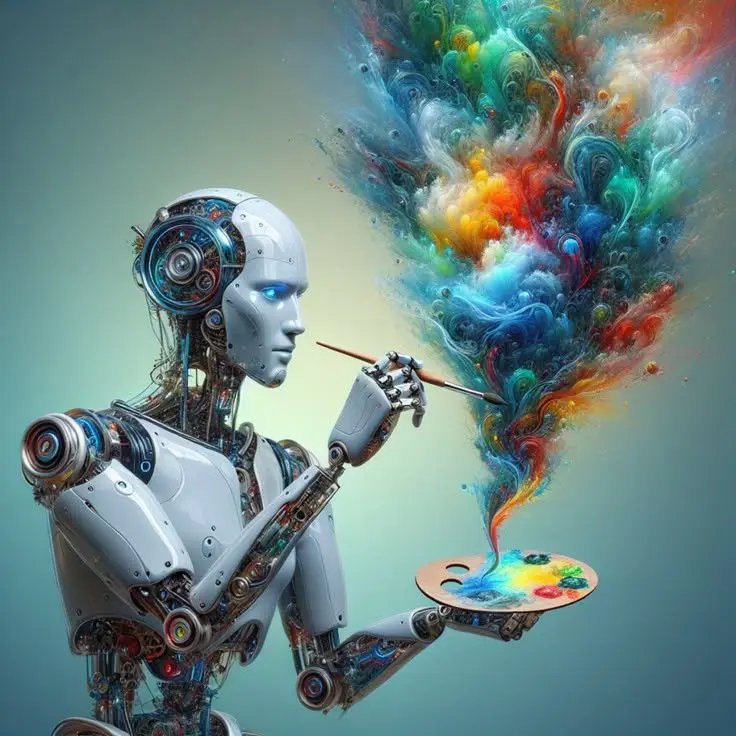
The designers who thrive will be those who combine strong fundamentals with smart use of the top AI design tools. Mastering AI design tools for web designers will help you work faster, but your creativity and strategic thinking will always be your greatest competitive advantage.The designers who will succeed in 2026 are those who combine strong foundational skills with smart AI tool usage not those who rely on AI to replace thinking entirely.
FAQ
Should freshers learn AI design tools before mastering the basics?
No. Start with Figma fundamentals and core design principles first. Once you have a solid foundation understanding layout, typography, colour, and user experience AI tools will amplify your skills rather than replace the thinking behind them.
Are AI design tools free for freshers?
Most tools offer free tiers or trial periods. Figma has a generous free plan, Framer offers a free tier for personal projects, and Uizard has a free starter plan. Adobe Firefly is included with Adobe Creative Cloud subscriptions.
Which AI design tool should a fresher learn first?
Start with Figma AI since Figma is already the industry standard. Once you are comfortable there, add Framer for building live websites and Relume for project planning. Build your AI toolkit gradually rather than trying to learn everything at once.
Conclusion
Artificial intelligence is reshaping the web design industry, but it is not replacing human creativity. Instead, AI design tools for web designers are helping professionals work faster, automate repetitive tasks, and deliver better results to clients. For freshers entering the industry in 2026, learning these tools early can provide a significant competitive advantage. From Figma and Relume to ChatGPT and Khroma, the top AI design tools can streamline everything from wireframing and copywriting to colour selection and website planning. However, these tools are most effective when combined with your own design knowledge, strategic thinking, and understanding of user experience.
The future belongs to designers who know how to blend technology with creativity. By mastering AI design tools for web designers and building strong foundational skills, you can create high-quality websites more efficiently and stand out in a competitive market. In 2026, the most successful designers are not simply the busiest they are the ones who use the top AI design tools to work smarter and design better.